Portfolio Capstone: From Brief to Finished Campaign
Combine everything into a complete client-style project: interpret a brief, plan a visual direction, create assets, revise and export professionally.
Before you start
Open Canva in a separate tab and complete the actions while you read. This course is designed for active practice, not passive scrolling. Keep one folder named Canva Course Practice and save every module project there.
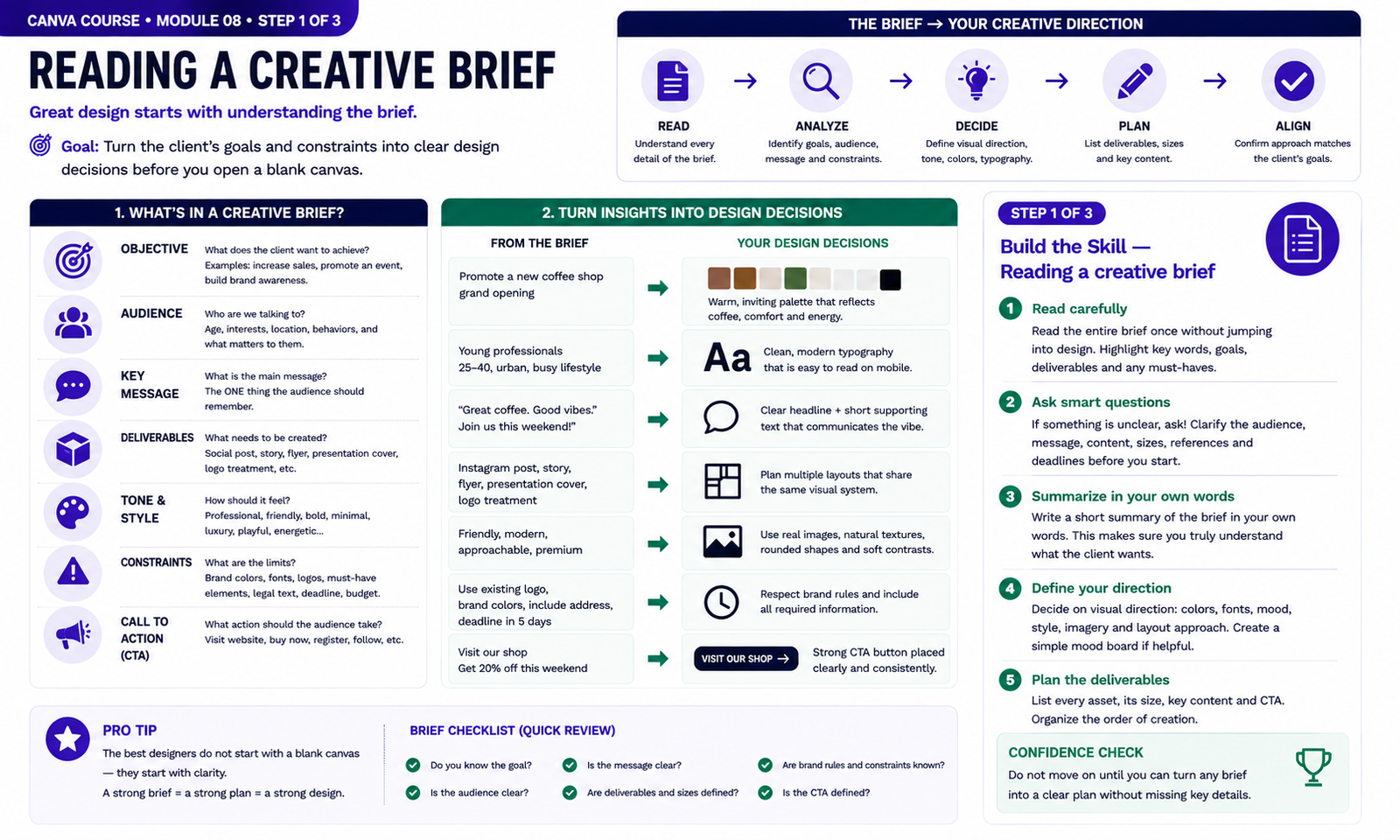
Build the Skill — Reading a creative brief
- Read the complete creative brief before opening a blank design. Identify the objective, target audience, key message, required deliverables, tone, brand rules, constraints, deadline and call to action. Highlight anything that directly affects a design decision.
- Translate the brief into a visual direction. Decide which colors, typography, imagery, layout style and overall mood best support the audience and objective. If important information is missing or unclear, identify what you would need to ask the client before beginning production.
- Write a short creative plan in your own words before designing. List every required asset, its format or size, its main message and its call to action. Confirm that your planned visual direction respects the brief before moving into campaign production.
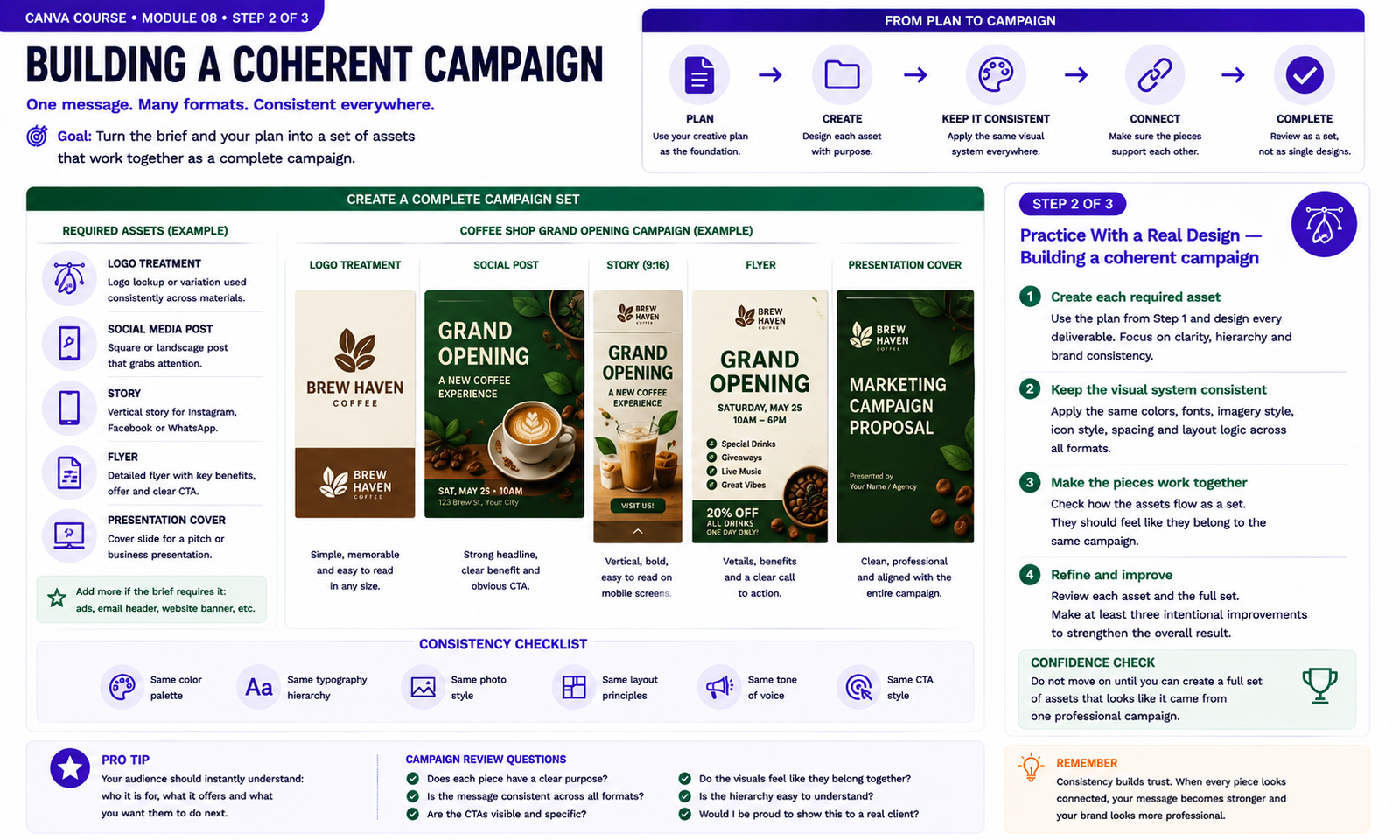
Practice With a Real Design — Building a coherent campaign
- Use the creative plan from Step 1 to build the complete campaign. Create the required logo treatment, social post, vertical story, promotional flyer and presentation cover, giving every asset a clear purpose while keeping the central message consistent.
- Apply the same visual system across every format. Reuse the approved color palette, typography hierarchy, imagery style, icon language, spacing logic and call-to-action treatment while adapting each composition to its specific size and use.
- Review all campaign pieces together instead of judging them separately. Confirm that they clearly belong to the same brand, then make at least three deliberate improvements to hierarchy, consistency, readability or composition before saving the campaign set.
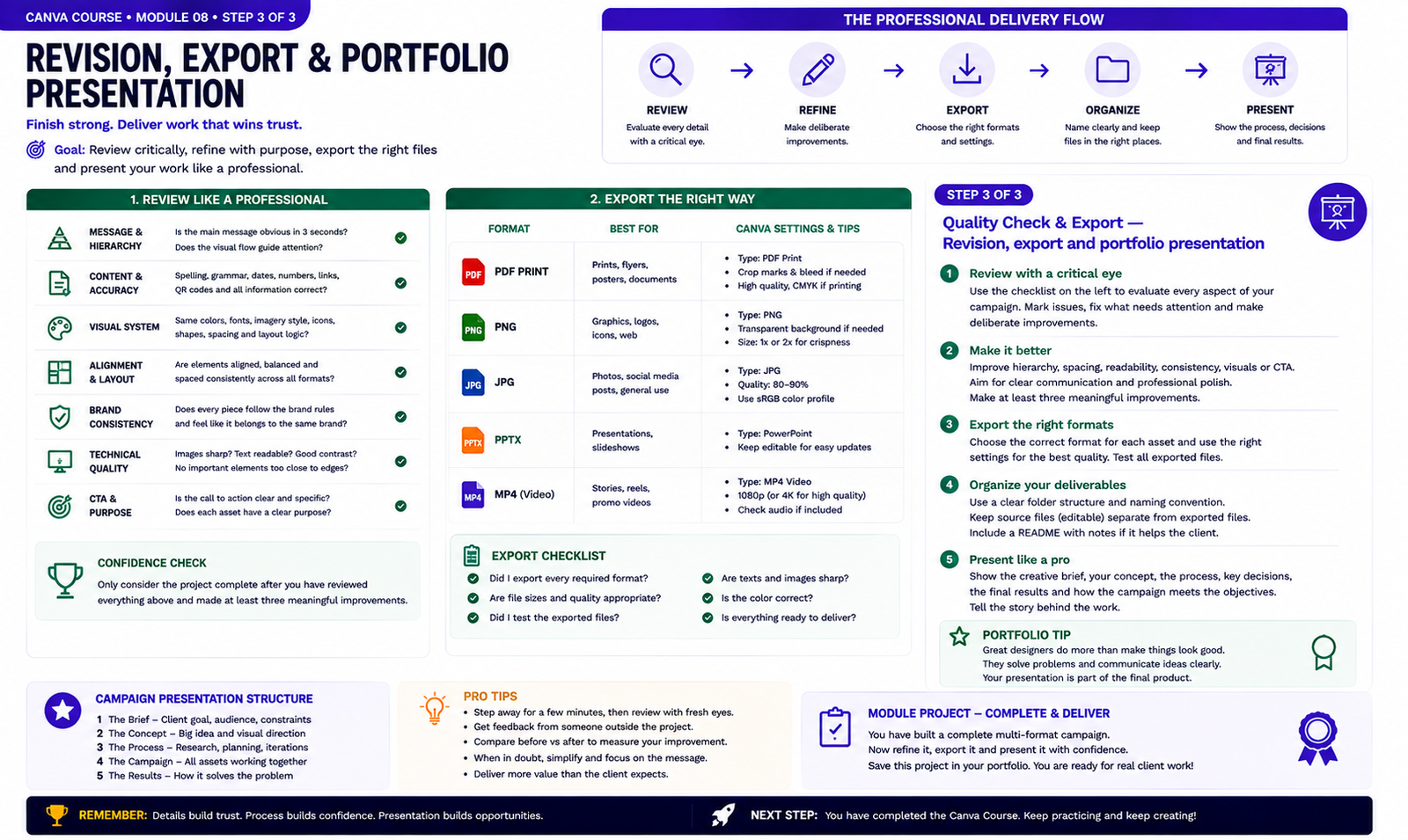
Quality Check & Export — Revision, export and portfolio presentation
- Review the complete campaign with a critical eye before calling it finished. Check message clarity, spelling, dates, links, hierarchy, alignment, spacing, contrast, image quality, brand consistency and calls to action. Compare the pieces together and make at least three meaningful improvements.
- Inspect every asset at its real viewing or print size. Confirm that text remains readable, images are sharp, margins and safe areas are respected and the visual system stays consistent across the logo treatment, social post, story, flyer and presentation cover.
- Export each deliverable in the format appropriate for its purpose, then reopen and test every file. Organize editable source files separately from final exports using clear names. Finish by presenting the project as a portfolio case study that explains the brief, creative direction, process, key decisions and final campaign rather than showing isolated images without context.
Knowledge checkpoint
- Can you explain the main principle of this module in your own words?
- Can you reproduce the core workflow without restarting the lesson?
- Can you identify at least one weak design decision and explain how you would improve it?
- Can you export the result in a format appropriate for its intended use?
Build this before continuing
Complete a final campaign with logo treatment, social post, story, flyer and presentation cover.
Completion standard: create a first version, review it, make at least three deliberate improvements, export the final version and keep both versions so you can see your progress.
Ready to move on?
You are ready when you can complete the module project confidently without depending on the example for every decision. The goal is not memorizing Canva buttons — it is learning to make sound visual decisions on your own.